
New look for the main menu and improved navigation in gSignature
October 15, 2025

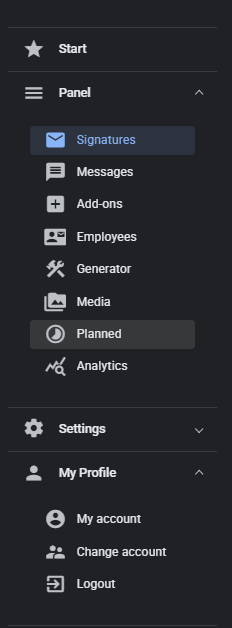
What has changed in the main menu
The new menu has been designed with simplicity and clarity in mind.
The layout of the sections has been optimized, and the navigation elements are now better grouped and more intuitive. This allows both administrators and end users to navigate the application faster and perform the most common actions in fewer steps.
We have also introduced improved navigation in the Employee Card and Template Editor. The new “Save and Reinstall” process allows you to save changes to the template with a single click and automatically reinstall signatures for all assigned users—without having to leave the edit view.
New template creation process
The ‘e-mail signatures’ tab has been completely redesigned. Now you can choose the mode in which you want to create your signature:
- Generator – quick signature creation from ready-made blocks and dynamic variables,
- Visual Editor – full control over layout and styles in a visual creator.
This makes choosing a design path simple and tailored to the user's level of experience – whether you are just starting to work with gSignature or creating advanced HTML templates.
Improved Employee tab
The Employees tab has a new, clear layout and faster access to key information. Administrators can now more easily view, edit, and synchronize employee data, as well as manage assigned signatures without switching between sections.
New Variables menu in the Editor
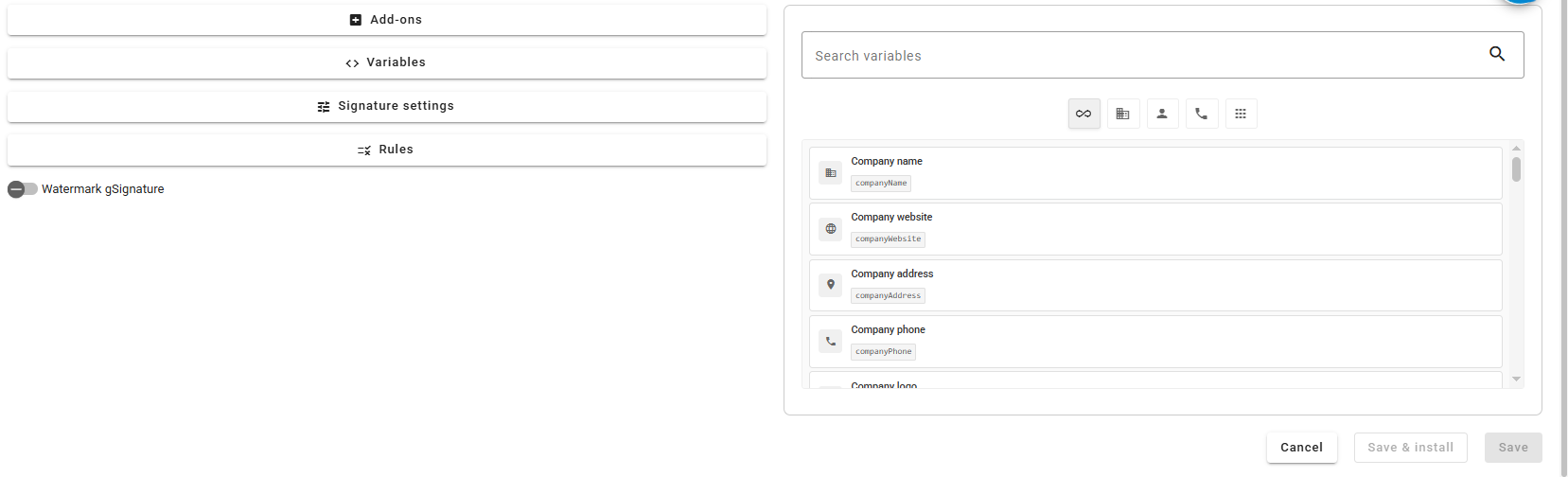
The editor now features a brand new Variables menu, which allows you to personalize your company templates even faster. Variables can now be used in the following ways:
- organized – they have been grouped into categories (e.g., personal data, company data, contact information),
- interactive – they can be dragged and dropped directly into the signature,
- intuitive – quick search and copy of variable names is available.
This solution allows designers and administrators to instantly add personalized elements to any template, while maintaining order and full control over the signature structure.
What you gain with this update
✅ Faster and more intuitive navigation through the application.
✅ Modern, consistent look of menus and user tabs.
✅ Improved editing and reinstallation of templates with the Save & Reinstall feature.
✅ Easier creation of new signatures – choose between the Generator and the Visual Editor.
✅ Convenient variable management from the new menu in the Editor.
The new interface and features are another step towards simplifying everyday work with gSignature. All changes have one goal – to make managing email signatures as fast and intuitive as sending the message itself.
Didn't find a solution or answer to your question?
See here for more help or send us a message. Write which topic you are interested in or what issue you need help with.